Tiger365 sign up typed into chat, not a website form — official
The .pro modal stops at login and Demo Login. With no register link, the Tiger365 desk builds the account from your two lines.

DetailsID on chat
Step 2 runs on chat. The Tiger365 desk reads both lines and sends back a username plus a first password.
Start the Tiger365 Sign Up on ChatTiger365 sign up starts on chat, not on a form. The modal at tiger365.pro holds a username field, a password field, Remember me and two buttons (login, Demo Login) and nothing at all for newcomers. So you join through the ofifcial Tiger365 desk: send a name, suggest a username, get a working ID back.

Three moves, no form. Only the last one touches tiger365.pro at all, and the first two happen in a chat window on your phone, wherever you are when you decide to join Tiger365.
Why a chat and not a register button? Because the sign-in modal on tiger365.pro was built without one: there is no register link, no forgot-password link and no WhatsApp link inside it, so every new Tiger365 account, and every reset later on, has to be issued by a person on the desk rather than by the page itself. That sounds slower. In practice it is two messages.
What changes after that first login? Your Tiger365 menu now carries Profile, Edit Stakes, A/C Statement and a Secure Auth page; Profile itself lists the name you sent next to chips, P/L, exposure and balance, so a wrong spelling is easy to spot and ask the desk to fix. You will not find a deposit or withdraw item there. Points reach a fresh Tiger365 ID through the same desk that created it, a point the Tiger 365 Live write-up explains from inside the account.
Pair refused at the modal? Check three things in order: the username went into the username box, you are on tiger365.pro or tiger365.us rather than one of the lookalike addresses that copy the name, and no space slipped in at the end when you pasted. Still stuck after that, the Tiger365 desk resets it in the same chat.
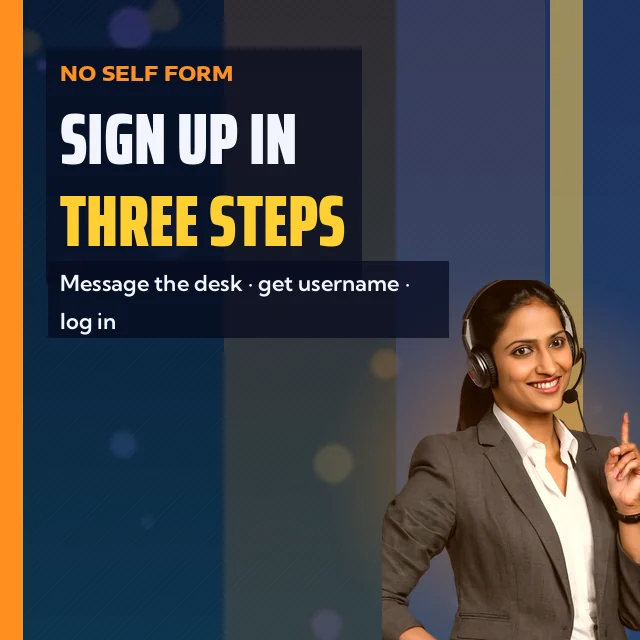
Sounds thin? It is meant to be. Two pieces of information open a Tiger365 account. Anything byond that waits until you actually need it, and the table shows where each item ends up.
| Item | Needed to join? | Why the Tiger365 desk asks |
|---|---|---|
| Name | Yes | It is set on the account; the Profile page later shows it beside your username. |
| Preferred username | Yes | Whatever the desk confirms here is what you key in at sign-in, on either live address. |
| Password | Never | The desk sets the first one and you replace it yourself from Profile. |
| Personal bank details | Only for a payout | Asked when you request money out, covered on the Tiger365 withdrawal page. |
One worked example, so the table feels real: you send "Ravi Kumar" as the name and "ravi_k07" as the username idea; the desk replies with the username and a first password, and Profile shows Ravi Kumar beside it after you log in. That is the whole exchange.
Nobody should ask you for a password during sign up. Ever. If a message does, stop and check that you are talking to the official desk; the site footer tells players to avoid untrusted sources and to deposit only to details given by official support, and the Tiger365 ID page explains how an issued ID looks.
The desk number, +91 81097 11726, is listed on the Tiger 365 desk number page so you can save it before you message. Once the pair arrives, the Tiger365 Pro login page covers the modal field by field. Betting domains get blocked in India from time to time, but the same Tiger365 ID and the same balance open on whichever skin address is live, as the Tiger365 address check tracks. How we handle what you send here is set out in the privacy policy.
Name and username ready? The Tiger365 desk takes it from there.
Hand the Desk Your Name and UsernameTiger365 sign up gets typed in many shapes, from tiger365 registration to tiger365 pro register. Every one ends at the official desk chat, since the site has no joining form.
The .pro modal stops at login and Demo Login. With no register link, the Tiger365 desk builds the account from your two lines.
One reply from the desk carries both halves. Username goes in the first box of the .pro modal, password in the second; after that first visit, Profile is where the desk-made password gets swapped for yours.
Tiger365 Pro, Tiger 365 and tiger365.pro share one account system; one username opens both .pro and .us.
| What you searched | Where it lands on Tiger365 |
|---|---|
| tiger365 sign up | Chat with the desk: name plus preferred username |
| tiger365 registration form | None on the site; the desk replaces it |
| tiger 365 login registration id and password | Sent back in the same chat, then typed on tiger365.pro |
Tiger365 sign up is a short chat, not a form. Write your name in the first message and a username idea in the second, and the official desk answers in that thread with your login pair. Test it on tiger365.pro straight away, because a typo in the username is easier to sort before your first deposit.
No. The Tiger365 login modal on tiger365.pro shows only username and password fields, a Remember me box and the login and Demo Login buttons, with no register link anywhere. Every new Tiger365 account is created by the desk on chat, which is why the sign up starts there.
Right inside the chat thread you opened with the Tiger365 desk, as one reply holding the username and the first password. Nothing is posted on tiger365.pro itself, and no waiting time is published, so we do not quote one. Copy the pair as written and sign in.